CookieCaddie app icon — a smiling gingerbread man

Draw it. Trace it. Bake it.

CookieCaddie turns any shape you draw or trace into a real, 3D-printable cookie cutter — with embossed lettering and detail pressed right in.

Free on iPhone and iPad. Requires iOS 17 or later.
See it in action

iPhone

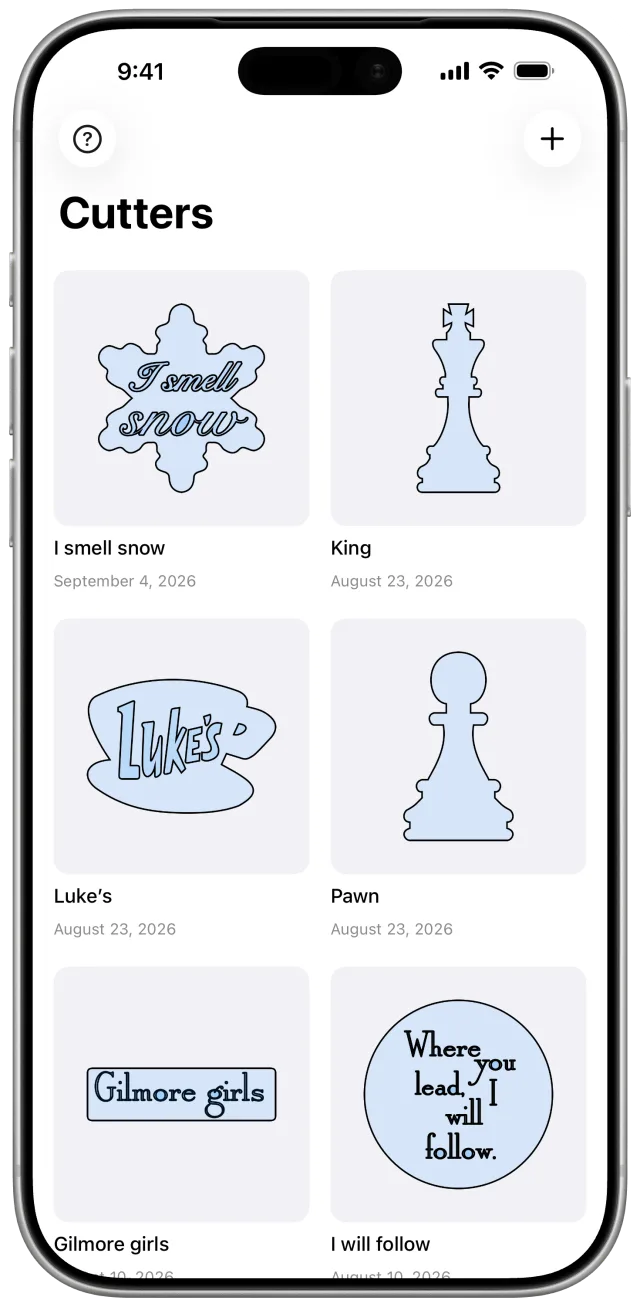
CookieCaddie on iPhone showing a library of cutters: a snowflake reading “I smell snow,” chess pieces, a Luke’s coffee cup, and more
Your whole collection, at a glance
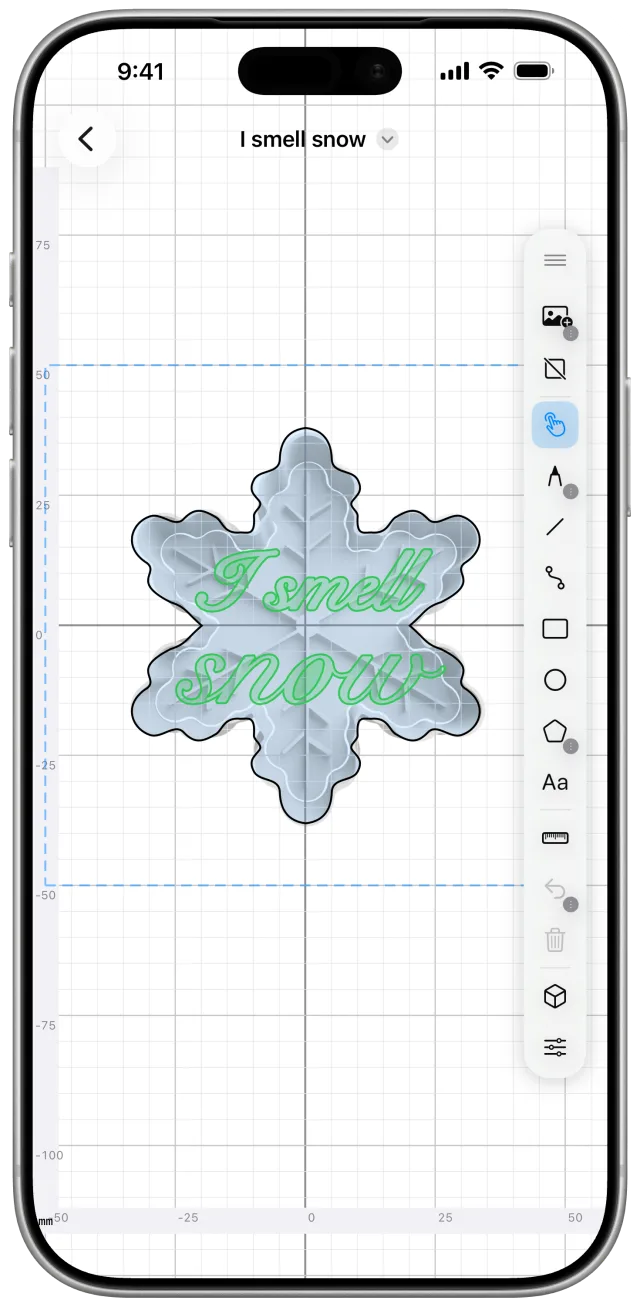
The CookieCaddie editor on iPhone with a snowflake outline and embossed script lettering
Embossed lettering, right on the canvas
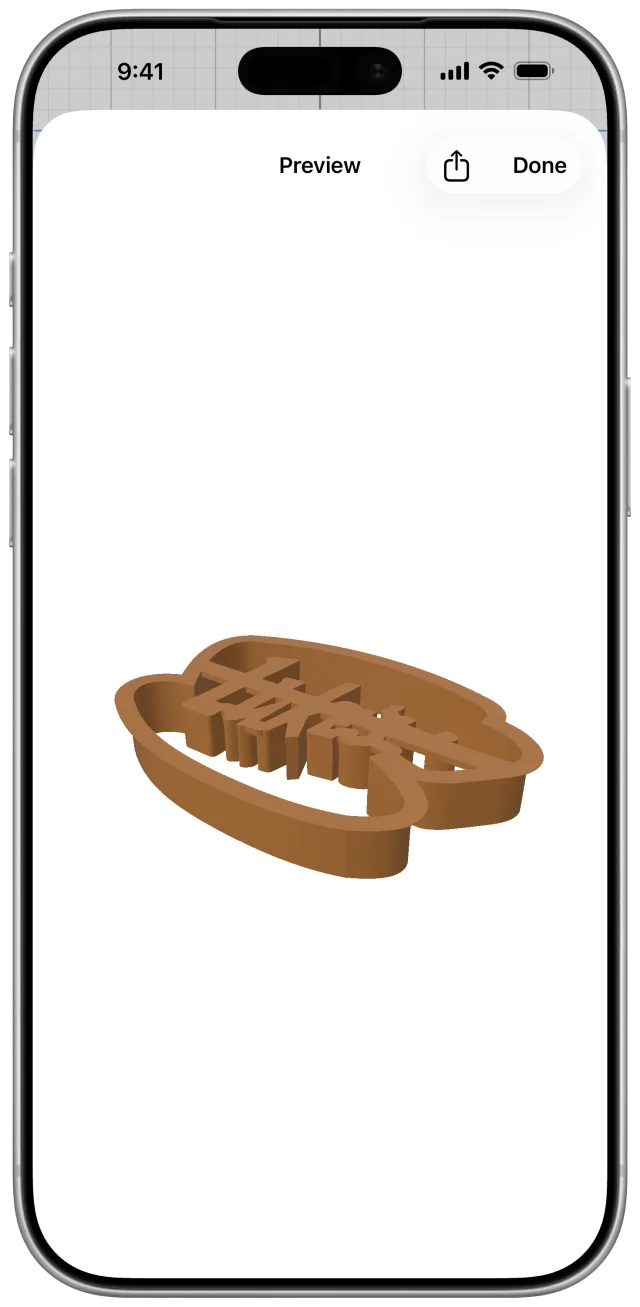
3D preview on iPhone of a Luke’s coffee-cup cutter with raised lettering held by struts
Spin it in 3D before you print

iPad

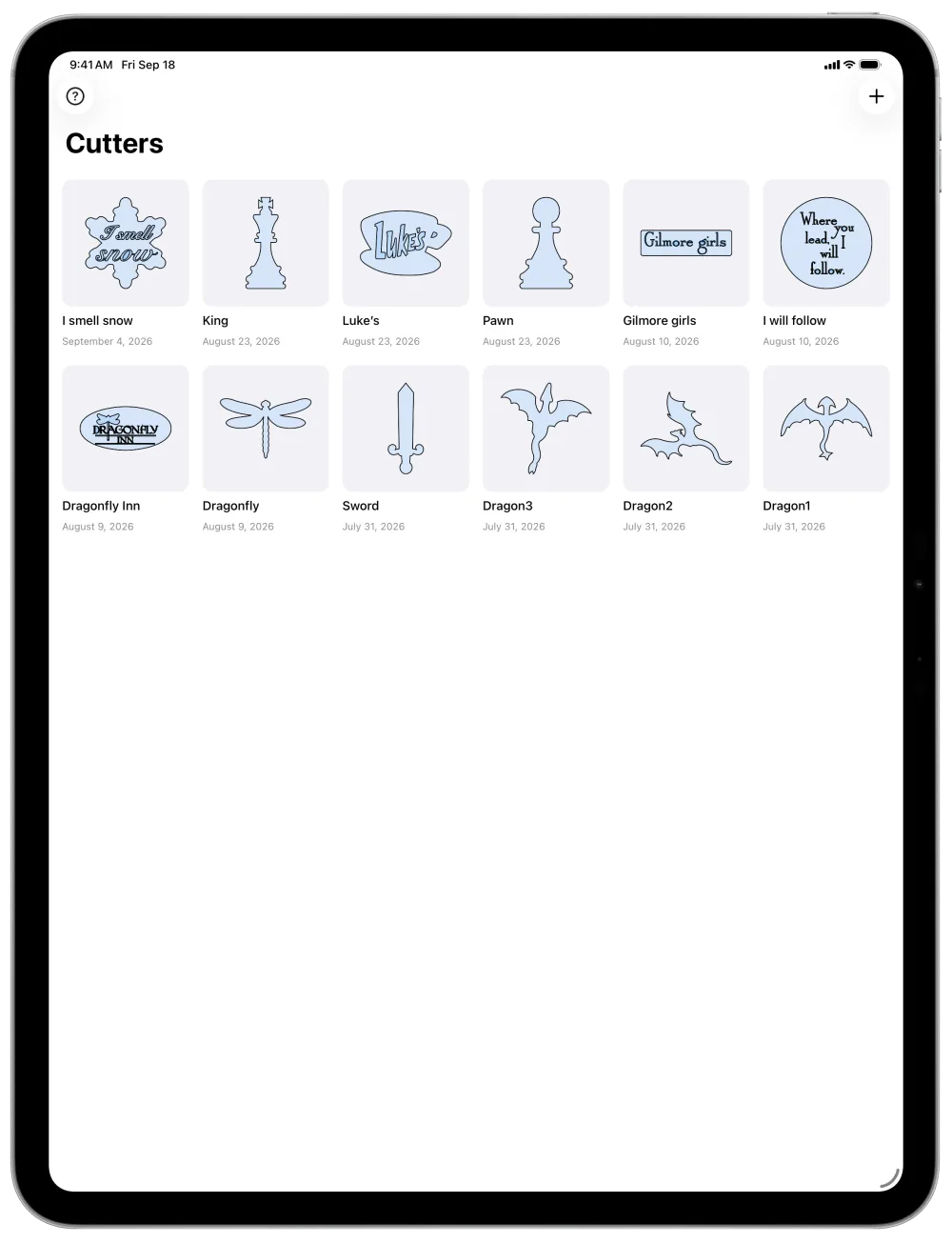
CookieCaddie on iPad showing twelve cutters including dragons, a sword, and a Dragonfly Inn sign
Room for every cutter you make
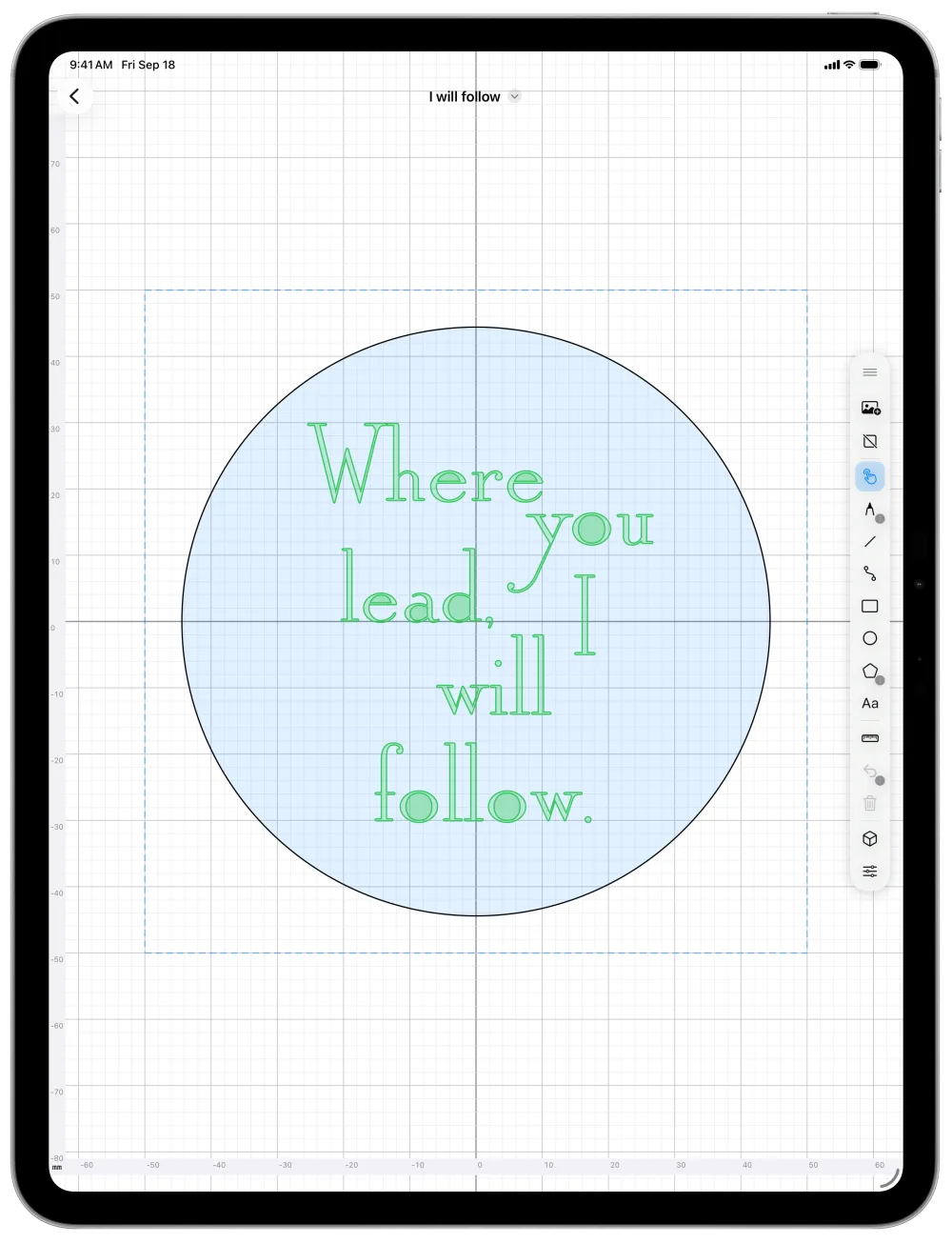
The CookieCaddie editor on iPad with a round cutter and the embossed quote “Where you lead, I will follow.”
Lay out text inside any shape
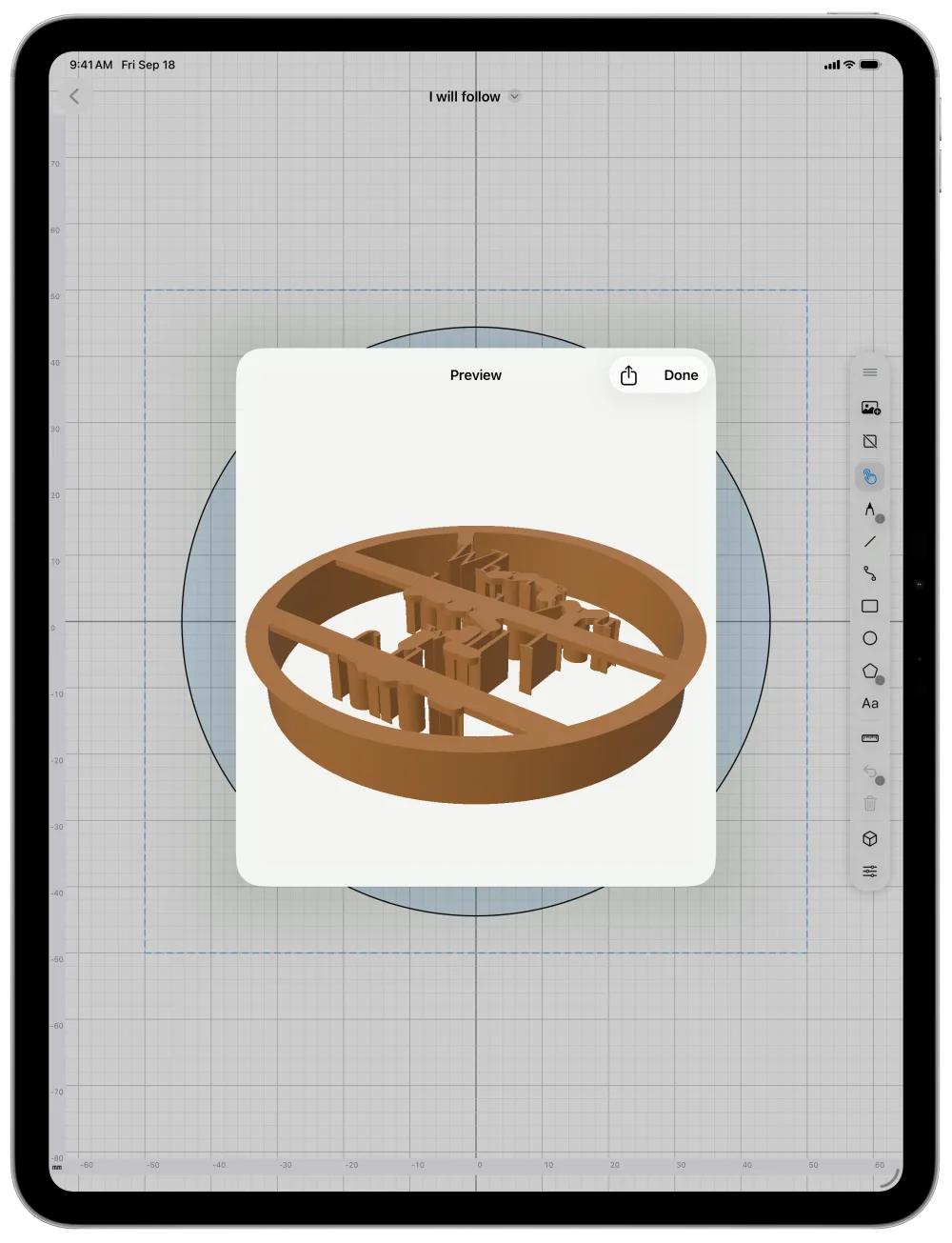
3D preview on iPad of a round cutter with embossed lettering supported by thin struts
See the struts that hold your detail

How it works

  1. ✏️

    Design a cutter

    Draw an outline with freehand, shapes, or curves, sized to a real cookie. You can also trace a photo.

  2. 🔤

    Add lettering & detail

    Anything drawn or typed inside the outline stamps into the cookie's face instead of cutting through.

  3. 🧊

    Export, ready to print

    Check it in 3D, then export one watertight STL, validated before it reaches your slicer.

  4. 🍪

    Print it, bake with it

    Print it on your own printer, then cut the dough, press the detail, and bake.

Read the full guide to every tool →

Everything you need to design a cutter

✏️

Real drawing tools

Freehand, line, curve, rectangle, circle, and polygon tools, with node-level editing on any path.

🖼️

Trace a photo

Import a reference image and sketch your outline right over it.

🔤

Emboss lettering & detail

Shapes drawn inside your outline — or a name typed with the text tool — press into the dough instead of cutting through it.

🫳

Pops right back out

Embossed detail is held up by thin struts back to the wall, not a solid cap, so most of the top stays open and your cookie pushes free.

📐

Engineered to print

Adjustable blade, wall, and flange dimensions — and every export is checked as a single watertight solid before it ever reaches your STL file.

🔄

Preview it in 3D

Spin and zoom your cutter right in the app before exporting — see exactly what you're about to print, no separate viewer needed.

🪞

Mirror for symmetry

Flip your drawing horizontally, vertically, or both, and keep both halves in sync as you edit.

🗂️

Your own library

Save, rename, and organize every cutter you make. Export a design file to back it up or share it.

📱

iPhone & iPad, your units

A universal app that works comfortably in millimeters or inches, whichever you think in.

Questions

Is CookieCaddie free?
Yes. It's free on the App Store, with no account to create.
Do I need my own 3D printer?
You need access to one: your own, a friend's, a library or makerspace, or an online print service. CookieCaddie exports a standard STL file that any of them can print.
Which printers and slicers does it work with?
Any that open STL files, such as Bambu Studio, PrusaSlicer, OrcaSlicer, or Cura. The default blade and wall are sized for a common 0.4 mm nozzle.
What devices does it run on?
iPhone and iPad with iOS or iPadOS 17 or later. On iPad you can draw with Apple Pencil, and double-tapping the Pencil switches to the Select tool.
How big can a cutter be?
Your print bed is the only limit. The canvas shows a dashed 100 × 100 mm square as a handy cookie size, but it's only a guide.
Can I share a design or move it to another device?
Yes. Export the design file (.cookiecutter) from the preview, or touch and hold a cutter in your library and tap Share Design File. Open it on any device with CookieCaddie.

Does the app collect my data?
No. There are no accounts, analytics, or tracking. Your designs stay on your device unless you export them. See the privacy policy.
Is a printed cutter food-safe?
That depends on your filament and printer, not the app. Many bakers use PLA or PETG, flour the cutter, keep contact brief, and wash it by hand. Check your filament maker's food-contact guidance.
Where can I learn every tool?
The CookieCaddie guide walks through every tool, setting, and export option, with troubleshooting tips.

Ready to make your first cutter?

Download CookieCaddie on the App Store